- Purchase

- FAQs
- Apps
- Gallery
- Features

{"cartAdd_disabled":{"T1_PGCT_302":"1"},"checkoutPage":"Pogo Connect"}
Show/Hide all answers
What is Pogo Connect?
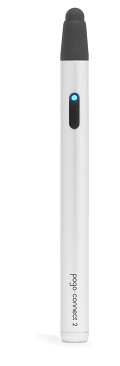
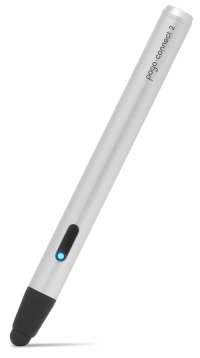
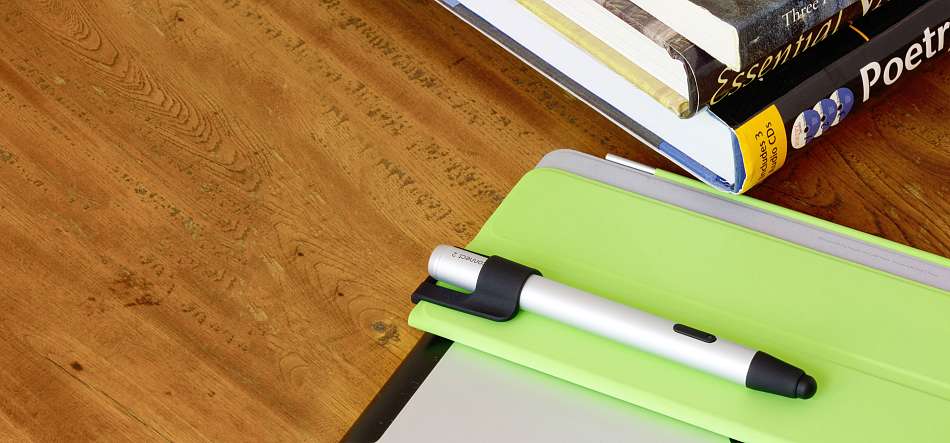
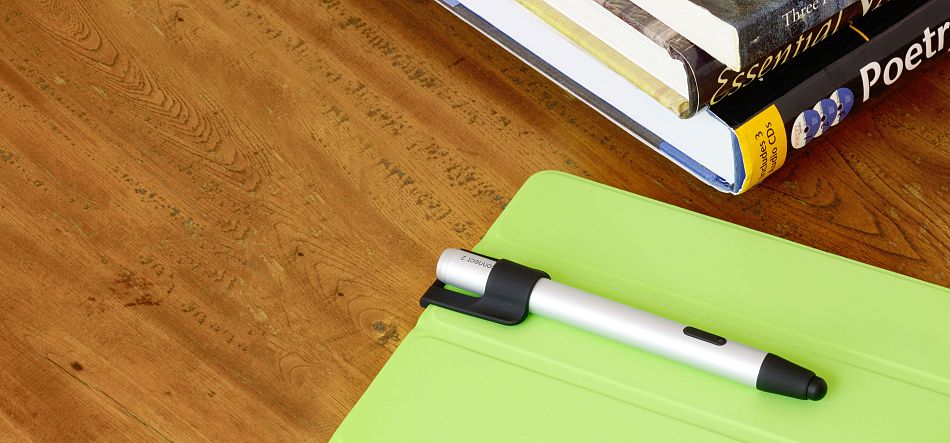
Pogo Connect is a bluetooth pen that allows you to draw with different line widths on an iPad. It works with many drawing and note-taking apps. It's also great for handwriting because the iPad can ignore your palm and wrist.
Which devices are compatible with Pogo Connect?
Pogo Connect works with iPad (3rd generation) and iPad (4th generation). iPad mini support will be added by compatible apps soon.
What if I have an iPad 1 or iPad 2?
We've been thinking about you.
If you have access to an iPhone 4s or the new iPhone 5, use it to download the free Pogo Bridge app from the App Store.
Running this app on your iPhone will bridge the connection between your Pogo Connect and apps running on your iPad. Check to see if your favorite apps supports iPad 1 or 2 by clicking the "more" link under each app description in the "Apps" tab. If your favorite app isn't compatible with the bridge, send a quick email to the developer. Bridge support in apps can be added with just one line of code.
Contact info@tenonedesign.com if you have any questions.
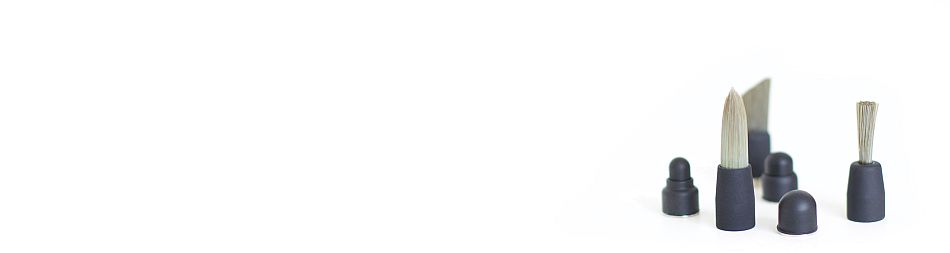
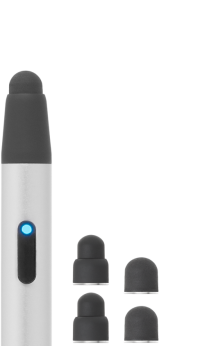
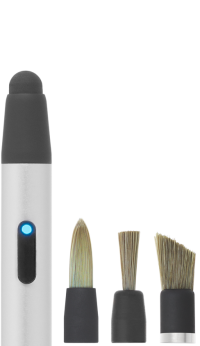
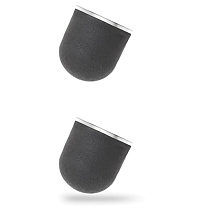
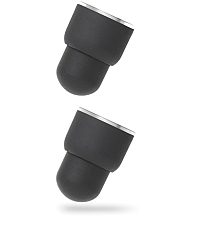
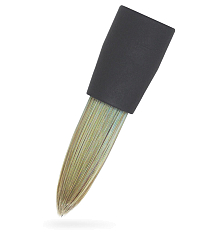
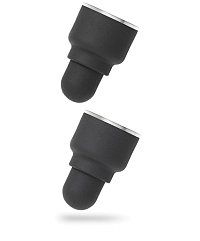
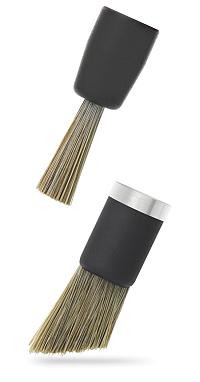
Is the tip replaceable?
Yes, and not just replaceable - it's upgradeable. More on that later :)
Battery included?
Of course! Who wouldn't include a battery?
How long does the battery last?
For most users, we think it will last for months.
In fact our goal was for you to never have to think about batteries again.
What kind of crazy battery lasts for months?
Would you believe it's just a standard AAA?
We chose AAA because it's easy to find, and small enough to hide in a pen.
Should I disconnect it when I'm done?
You need never worry about power-managing your Pogo Connect.
It's totally fine to just leave it connected all the time.
It will be ready to work whenever you are.
Pogo Connect uses efficient power-saving strategies to last months on a single AAA battery. Should you ever become disconnected, simply press the button on your Pogo Connect near a running iPad, and it will reconnect.
How can I turn off my Pogo Connect?
After Pogo Connect disconnects from an iPad, it will turn itself off automatically.
To disconnect from an iPad, press the home button, then hold the Pogo Connect button down for six seconds. When the blue light begins to blink, press the button once.
Do I ever need to turn my Pogo Connect off?
You may have noticed Pogo Connect has no power switch.
That's on purpose.
It'll always be ready to use, but when you're inactive, Pogo Connect uses aggressive power-saving strategies. Standby mode doesn't just last for months. It lasts for years.
What exactly does a Crescendo Sensor do?
Some sensors use piezo-electric discs.
Others use deformable resistive materials.
Still other use resonating electrical circuits and moving ferrous materials.
Our sensor is fundamentally different from all of those. It uses a very new idea to detect pressure, and has no moving parts. We think it's hot stuff, but not because it's new. It's hot stuff because it works better than those other technologies.
How many levels of pressure does Pogo Connect have?
Our solid state pressure sensing supports hundreds of levels.
Can I use Pogo Connect without a supported app?
Yes, Pogo Connect serves admirably as a standard capacitive stylus.
How do I connect my Pogo Connect?
Many of the compatible apps will automatically recognize a Pogo Connect when it's blinking blue.
If not, there is a menu item that will let you connect.
Ten One has created a free app that you can connect with as well.
The app is (unsurprisingly) called "Pogo Connect."
Once connected, the pen will continue to work in the other applications.
It will also automatically reconnect should it ever become disconnected.
What size is Pogo Connect?
Pogo Connect weighs in at 5.1" (130mm), and is 11.7 mm in diameter. That's about 16% thinner than a AA battery. The tip is a narrow 7mm.
Beautiful Apps
We've worked hand-in-hand with top iOS developers to bring Pogo Connect compatibility to these amazing apps.
Featured App:
Pogo Connect enabled apps have compatibility information in their app description.
Do you use an app that's not on this list?
Contact the developer today to request Pogo Connect support. It's simple to add, and the developer will receive a free Pogo Connect. Here's a sample email.
Artistic
Brushes is a painting application designed from scratch for the iPhone and iPod touch. Featuring an advanced color picker, several realistic brushes, layers, extreme zooming, and a simple yet deep interface, it is a powerful tool for creating original artwork on your mobile device.
| Pen pressure | |
| Palm rejection | |
| iPad 3rd/4th generation | |
| iPad 1 & 2 | |
| iPad mini |
more | app store
DeepSketch is a digital sketchbook that adds a new dimension to your drawings – literally! Using colored 3D glasses you can create amazing art that pops right out of the screen! Packed with features, it now even supports the Pogo Connect – letting you control line thickness and depth by varying pressure when drawing. DeepSketch is a must for any digital artist looking to expand their toolbox!
| Pen pressure | |
| Palm rejection | |
| iPad 3rd/4th generation | |
| iPad 1 & 2 | |
| iPad mini |
more | app store
MyBrushes is a unique painting application designed to create images and playback the whole painting process. It has 100 kinds of realistic brush styles to simulate the effect of Brush painting, Watercolor painting, Oil painting, Chinese painting, Drawing and Chinese Calligraphy.
| Pen pressure | |
| Palm rejection | |
| iPad 3rd/4th generation | |
| iPad 1 & 2 | |
| iPad mini |
more | app store
Autodesk SketchBook® Pro for iPad is a professional-grade paint and drawing application. Using the same paint engine as its desktop counterpart, SketchBook Pro delivers a complete set of sketching & painting tools through a streamlined and intuitive user interface designed exclusively for the iPad experience.
| Pen pressure | |
| Palm rejection | |
| iPad 3rd/4th generation | |
| iPad 1 & 2 | |
| iPad mini |
more | app store
ArtSense's top-quality paint engine together with a set of highly customizable drawing tools lets you express yourself in your own artistic style. Ink sketch or watercolor painting, the limit is only your creativity.
| Pen pressure | |
| Palm rejection | |
| iPad 3rd/4th generation | |
| iPad 1 & 2 | |
| iPad mini |
more | app store
Inspire Pro's proprietary painting engine Sorcery™, based on OpenGL ES 2.0, takes full advantage of the GPU to render brush strokes with brilliant 64-bit color, laser-sharp sub-pixel precision and incredibly fast speed. Whether you are a beginner, expert, or somewhere in between, you will enjoy the simplicity and power of Inspire Pro.
| Pen pressure | |
| Palm rejection | |
| iPad 3rd/4th generation | |
| iPad 1 & 2 | |
| iPad mini |
more | app store
Colors! is a simple yet robust painting application combining ease of use and powerful painting tools. Based on modern painting techniques originally developed for professional drawing tablets, Colors! is tailored for touch screen devices, and caters to everyone from serious artists to aimless doodlers. Whether you are looking for doing doodles, sketching or painting, Colors! is the perfect mobile sketchbook.
| Pen pressure | |
| Palm rejection | |
| iPad 3rd/4th generation | |
| iPad 1 & 2 | |
| iPad mini |
more | app store
Procreate is the only studio-grade sketchbook for iPad®. Packed with over 45 professional brushes, an incredible OpenGL painting engine and desktop quality features, Procreate is the smart choice for professional illustrators.
| Pen pressure | |
| Palm rejection | |
| iPad 3rd/4th generation | |
| iPad 1 & 2 | |
| iPad mini |
more | app store
Get creative with paint without the mess and expense! Explore a packed toolbox of intuitive, natural painting tools like oils and watercolors that let you experiment with color blends and textures on a realistic canvas. ArtRage places the tools of a real art studio at your fingertips.
| Pen pressure | |
| Palm rejection | |
| iPad 3rd/4th generation | |
| iPad 1 & 2 | |
| iPad mini |
more | app store
ArtStudio is the most comprehensive, sketching, painting and photo editing tool in the App Store. Completely re-designed from the ground up the new ArtStudio features a beautiful new user interface and a powerful new graphics engine to make creating works of art faster, easier, and more fun! Using advanced drawing algorithms this is the fastest and most precise version of ArtStudio to date.
| Pen pressure | |
| Palm rejection | |
| iPad 3rd/4th generation | |
| iPad 1 & 2 | |
| iPad mini |
more | app store
Transform your images with core Adobe® Photoshop® features in an app designed for tablets. Combine images, apply professional effects, share results with friends and family through Facebook and Twitter – all from the convenience of your iPad or Android tablet. Photoshop magic. Now on your tablet.
| Pen pressure | |
| Palm rejection | |
| iPad 3rd/4th generation | |
| iPad 1 & 2 | |
| iPad mini |
more | app store
Notes
NoteLedge is a robust note-taking app that combines handwriting, typing, image editing, audio and video recording. It makes a perfect tool for you to keep a diary, create travel journals, capture and share ideas on the go.
| Pen pressure | |
| Palm rejection | |
| iPad 3rd/4th generation | |
| iPad 1 & 2 | |
| iPad mini |
more | app store
Noteshelf is the handwriting note taker for the iPad that features super natural digital ink, a stunning UI and a comprehensive toolset that will increase the benefits of owning an iPad by leaps and bounds.
| Pen pressure | |
| Palm rejection | |
| iPad 3rd/4th generation | |
| iPad 1 & 2 | |
| iPad mini |
more | app store
Write, Type, Record Audio - pinpointing critical items with flags, import PDFs, add and take Photos, Share to Dropbox and Evernote and keep it all beautifully organized. With CaptureNotes 2, you'll capture everything in your meetings or lectures.
| Pen pressure | |
| Palm rejection | |
| iPad 3rd/4th generation | |
| iPad 1 & 2 | |
| iPad mini |
more | app store
ZoomNotes is an iPad note-taking/sketching app which uniquely offers a near infinite workspace for writing and drawing on. It has a wide selection of digital inks including pen, pencil and watercolour. You can also write over PDF files and import Microsoft Office files as PDF files via GoogleDrive. It also has a bookmarking system which allows you to generate presentations and videos from your notes and sketches.
| Pen pressure | |
| Palm rejection | |
| iPad 3rd/4th generation | |
| iPad 1 & 2 | |
| iPad mini |
more | app store
NotePad Pro is the most powerful tool to take notes on the go!! Use NotePad Pro to take notes everywhere, excellent for students, professionals, businessman, or anyone! You can take notes, draw sketches and record audio. The most complete note app available on the iPad
| Pen pressure | |
| Palm rejection | |
| iPad 3rd/4th generation | |
| iPad 1 & 2 | |
| iPad mini |
more | app store
Take notes in class, sketch out the next great idea, write personal notes in your password protected notebook, or simply highlight some text in a pdf. smartNote makes it easy to do just about anything you would normally do on paper on the iPad.
| Pen pressure | |
| Palm rejection | |
| iPad 3rd/4th generation | |
| iPad 1 & 2 | |
| iPad mini |
more | app store
NoteBinder is a visual, simple and familiar way of organizing your notes for work and school. Record multiple audio clips on one page. Export audio and video notes. Search your content. One tap access to recent pages for simple navigation. Open In…PDF's. Annotate Photos. Insert multiple photos or PDF clips on a single page. Save custom page backgrounds. NoteBinder is very versatile and functional with a simple interface.
| Pen pressure | |
| Palm rejection | |
| iPad 3rd/4th generation | |
| iPad 1 & 2 | |
| iPad mini |
more | app store
Create
Paper is where ideas begin. It’s the easiest and most beautiful way to create on the new iPad. Capture your ideas as sketches, diagrams, illustrations, notes or drawings and instantly share them across the web.
| Pen pressure | |
| Palm rejection | |
| iPad 3rd/4th generation | |
| iPad 1 & 2 | |
| iPad mini |
more | app store
FlipBook HD is the most powerful animation app available for iOS. Bring your doodles to life using either frame-to-frame animation or powerful keyframe animation with a set of tools designed from the ground up for the iPad. When you're done, email your movie to your friends or share them on flipbook.tv for the world to see.
| Pen pressure | |
| Palm rejection | |
| iPad 3rd/4th generation | |
| iPad 1 & 2 | |
| iPad mini |
more | app store
Inkist lets you paint on your iPad with highly customizable brushes and tools you expect from advanced painting software. Inkist eschews the trend of hiding interface elements from you, and presents you with everything you need up front.
| Pen pressure | |
| Palm rejection | |
| iPad 3rd/4th generation | |
| iPad 1 & 2 | |
| iPad mini |
more | app store
You Doodle is a complete photo editing and sharing app with stamps, text, picture frames / collages, filters, layers, shapes and drawing tools.
| Pen pressure | |
| Palm rejection | |
| iPad 3rd/4th generation | |
| iPad 1 & 2 | |
| iPad mini |
more | app store
Animation Desk for iPad allows users to create hand-drawn animations on iPad. The drawing interface provided by the app resembles the real working environment of a professional animator who completes each frame of an animation on a specially-designed desk, the animation desk.
| Pen pressure | |
| Palm rejection | |
| iPad 3rd/4th generation | |
| iPad 1 & 2 | |
| iPad mini |
more | app store
Zen Brush is an app that allows you to easily enjoy the feeling of using an ink brush to write or to paint. It allows anyone to easily perform fluent strokes while not compromising on the fascinating texture of a real ink brush.
| Pen pressure | |
| Palm rejection | |
| iPad 3rd/4th generation | |
| iPad 1 & 2 | |
| iPad mini |
more | app store
Flipink is a neat app for you to sketch, share and organize your ideas, thoughts, write down your memos and notes. It helps you stay organized and improve productivity, capture ideas flashed through your minds, either at home, at workplace, or on the go.
| Pen pressure | |
| Palm rejection | |
| iPad 3rd/4th generation | |
| iPad 1 & 2 | |
| iPad mini |
more | app store
Autodesk® SketchBook® Ink is an intuitive pen & ink drawing app. Built on a new resolution independent engine, SketchBook Ink lets you create beautiful line work and export high resolution images directly from your iPad.
| Pen pressure | |
| Palm rejection | |
| iPad 3rd/4th generation | |
| iPad 1 & 2 | |
| iPad mini |
more | app store
This is a simple and clean application with a single purpose, blending together images. You can use multiple blending modes like Multiply, Overlay, Screen and many more.
| Pen pressure | |
| Palm rejection | |
| iPad 3rd/4th generation | |
| iPad 1 & 2 | |
| iPad mini |
more | app store
Line Art is a very fun interactive visual toy. Basically, there are thousands of particles that respond to your touch, and as they move around they leave behind a colorful line. Over time, the particles smoothly change color, and how they react to your touches, keeping things interesting. When you leave the app alone, the particles will start moving on their own, as though they are alive.
| Pen pressure | |
| Palm rejection | |
| iPad 3rd/4th generation | |
| iPad 1 & 2 | |
| iPad mini |
more | app store
Sketch Club provides not just great tools to create but also some of the motivation and inspiration through it’s integrated online community. You can upload your sketches to let others rate and comment as well as enter daily challenges and weekly competitions for fabulous prizes! You can see what people are creating at http://SketchClub.com
| Pen pressure | |
| Palm rejection | |
| iPad 3rd/4th generation | |
| iPad 1 & 2 | |
| iPad mini |
more | app store
Productivity
With PDFpen, use your iPad to sign a contract, make corrections, fill out an application, make comments on a presentation and much more. It’s the mobile app that doesn’t feel like you left the important features back at the office. Use Pogo Connect to give your PDF mark-up that special hand-written look
| Pen pressure | |
| Palm rejection | |
| iPad 3rd/4th generation | |
| iPad 1 & 2 | |
| iPad mini |
more | app store
Natural signing experience like pen on paper — While signing on the screen the signature is displayed without delay and accurately like signing with a pen on paper.
| Pen pressure | |
| Palm rejection | |
| iPad 3rd/4th generation | |
| iPad 1 & 2 | |
| iPad mini |
more | app store
The smartest iPad pen
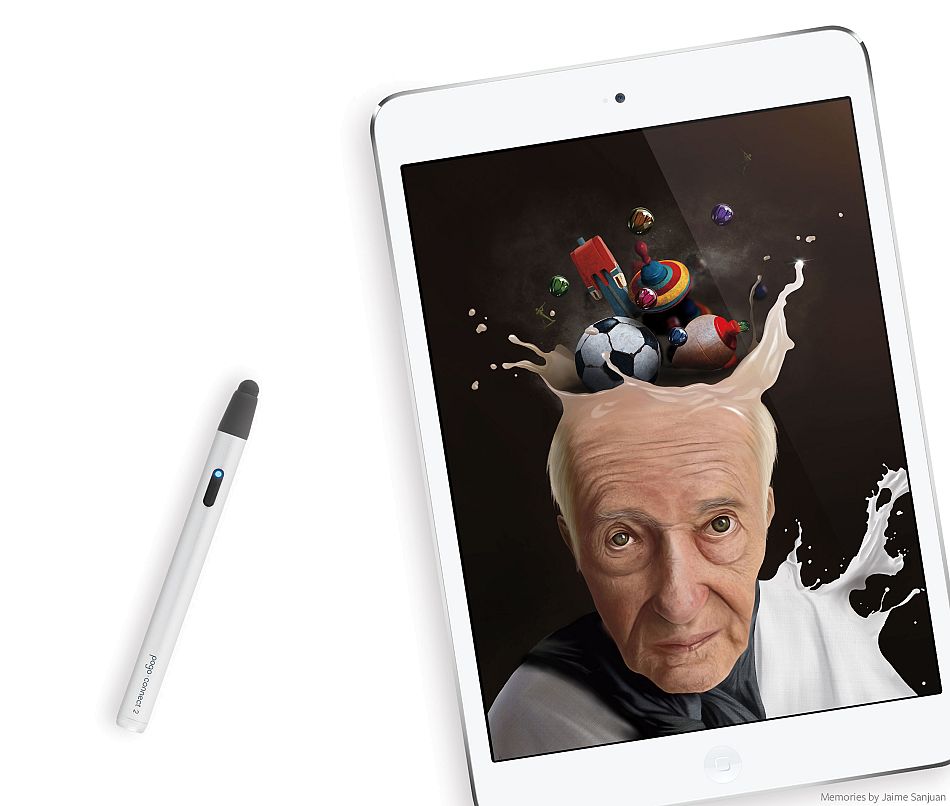
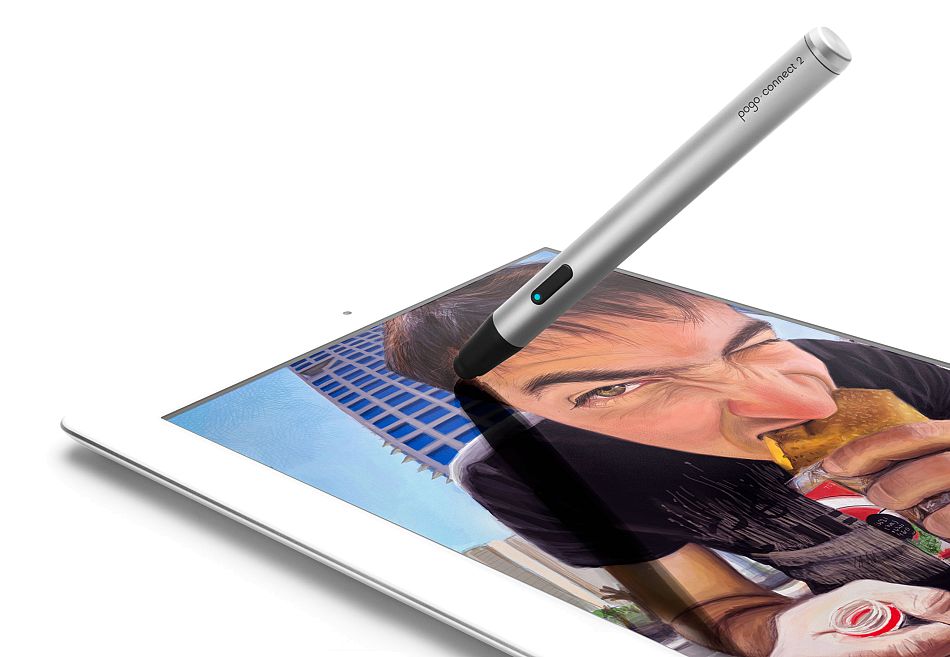
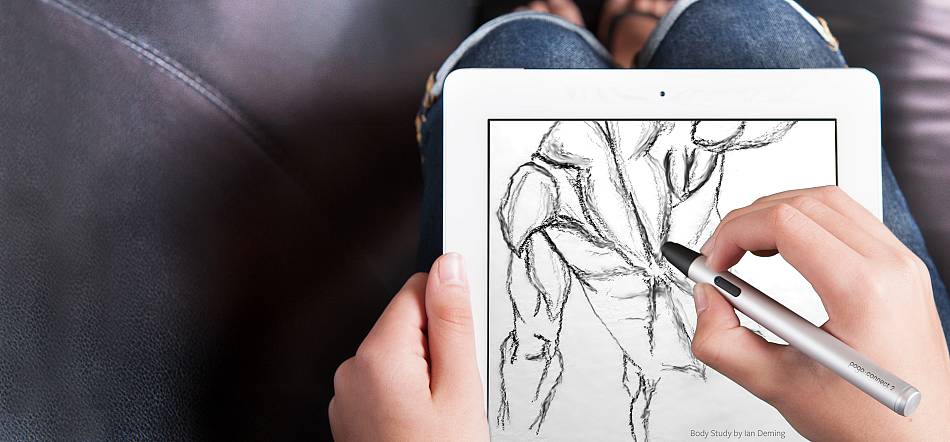
Pogo Connect puts the fun back into sketching or taking notes on iPad. It's a bluetooth pen that allows you to draw with different line widths on an iPad.
It's simple to set up, and works with many drawing and note-taking apps.
It's also great for handwriting because it can help the iPad ignore your palm and wrist.
Thanks to artist Irving Quito for sharing his workflow
creating this Koi fish.
It's also great for handwriting because it can help the iPad ignore your palm and wrist.
Thanks to artist Irving Quito for sharing his workflow
creating this Koi fish.
Exotic pressure technology
Under its tame exterior, Pogo Connect sports a wild new patent pending technology we call a Crescendo Sensor.
So where did it come from? It began as a research project here at Ten One in early 2011. Later that year, we realized we were on to something really big.
Here's what our Crescendo Sensor can do:
So where did it come from? It began as a research project here at Ten One in early 2011. Later that year, we realized we were on to something really big.
Here's what our Crescendo Sensor can do:
- It's amazingly sensitive, with 0 grams of activation force.
- It works at all angles.
- It requires no calibration.
- It provides hundreds of levels of pressure.
- Best of all? No moving parts, making it incredibly reliable.
Turn it on, leave it on
You should never have to think about batteries or charging.
Pogo Connect makes it easy.
We've used new Bluetooth Smart technology to extend the battery to extraordinary levels.
How many hours of continuous use? Perhaps you mean how many months? All from the included AAA battery. Turn it on. Leave it on. Draw whenever you'd like.
Featured Apps
Artistic
Procreate is the only studio-grade sketchbook for iPad®. Packed with over 45 professional brushes, an incredible OpenGL painting engine and desktop quality features, Procreate is the smart choice for professional illustrators.
Create
Paper is where ideas begin. It’s the easiest and most beautiful way to create on the new iPad. Capture your ideas as sketches, diagrams, illustrations, notes or drawings and instantly share them across the web.
Notes
GoodNotes is a simple iPad note-taking application for creating and sharing handwritten notes and PDF mark-up.
New!
Inkist lets you paint on your iPad with highly customizable brushes and tools you expect from advanced painting software. Inkist eschews the trend of hiding interface elements from you, and presents you with everything you need up front.
Getting warmer
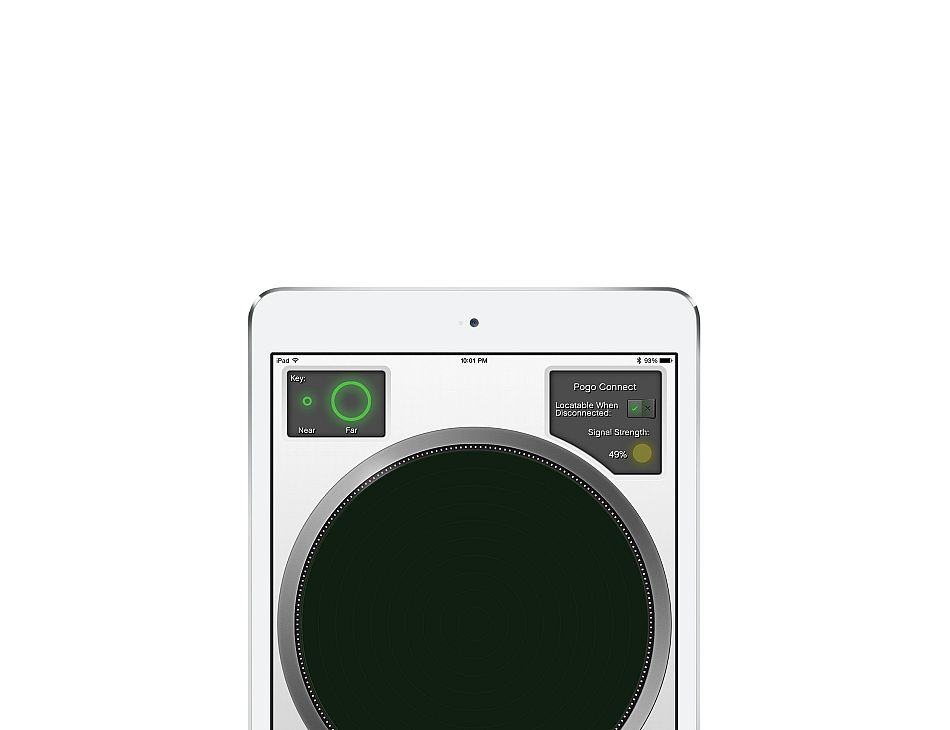
Pogo Connect transmits a signal that allows you to track down its location.
We like to think this makes Pogo Connect the first pen that's impossible to lose.
You can use an iPhone or iPad to display your estimated distance to the pen. The distance information is displayed in a radar-style view, transforming finding a lost pen into a fun game.
Our free Pogo Connect app is available to help you track down your pen.
You can use an iPhone or iPad to display your estimated distance to the pen. The distance information is displayed in a radar-style view, transforming finding a lost pen into a fun game.
Our free Pogo Connect app is available to help you track down your pen.
Rest easy
Remember what you thought it'd be like to take notes on an iPad?
Smart looking glasses, your iPad in one hand, a pen in the other, hastily scribbling down something important in your own handwriting?
It's a bit trickier in practice.
Your handwriting suffers from trying to pivot off the edge where you won't make accidental marks.
Pogo Connect is engineered to help apps ignore your palm. Compatible applications will let you rest your hand anywhere, and only respond to the pen tip. Phew!
Sudden Attraction
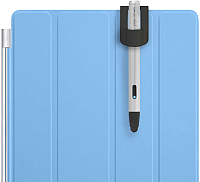
Pogo Connect tips are attached magnetically. Putting a new one in is a snap.
You knew we couldn't resist putting a magnet in somewhere, right?